

If you’ve ever created a table in Snowflake using an ETL tool and noticed column names like "Code" or "First Name", you might have wondered:
Why are there double quotes around everything?
If you’re using tools like Tableau Prep, Qlik Replicate, Informatica, or Matillion, this behavior is very common when loading data into Snowflake.
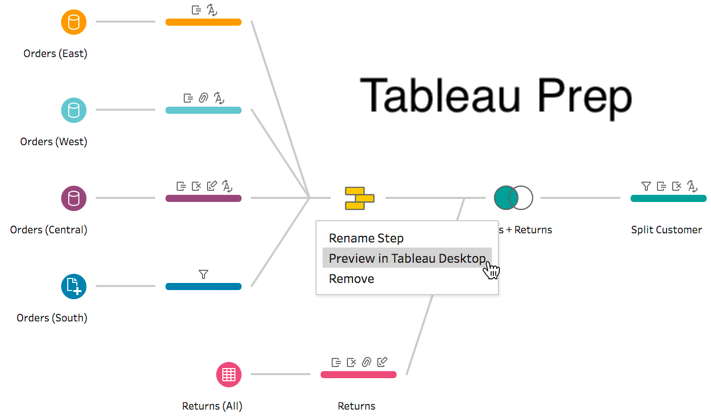
Let’s break down why this happens, what it means, and whether you should care.
Understanding Snowflake Identifier Behavior
In Snowflake:
- Unquoted identifiers are automatically converted to UPPERCASE
- Quoted identifiers preserve exact casing and formatting
- Quoted identifiers are case-sensitive
For example:
CREATE TABLE my_table (
  Code VARCHAR
);
Snowflake stores the column as:
CODE
But if you create:
CREATE TABLE my_table (
  "Code" VARCHAR
);
Snowflake stores it exactly as:
Code
Now it becomes case-sensitive and must always be referenced as "Code" in queries.
Why ETL Tools Quote Identifiers by Default
Most ETL tools generate DDL with quoted identifiers intentionally. This is not accidental — it’s defensive engineering.
Here’s why.
✔ 1. To Preserve Feature Richness and Compatibility
Quoted identifiers allow:
- Lowercase names
- Spaces in field names (
"First Name") - Special characters
- Names starting with nonstandard characters
- CamelCase formatting
ETL tools often don’t know what naming patterns exist in your source system (Excel, CSV, Salesforce, APIs, etc.). Instead of trying to sanitize or transform every column name, they quote everything to guarantee the SQL will execute successfully.
Without quoting, certain names would fail immediately in Snowflake.
Example:
First Name VARCHAR
❌ Invalid (space not allowed)
But:
"First Name" VARCHAR
✅ Valid
Quoting ensures compatibility across unpredictable source schemas.
✔ 2. To Avoid SQL Syntax Errors
Snowflake automatically uppercases unquoted identifiers.
That means:
FirstName
Becomes:
FIRSTNAME
But tools like Tableau preserve display names exactly as users see them.
If your Tableau model contains:
FirstName
And Snowflake stores:
FIRSTNAME
You now have a casing mismatch between your data warehouse and BI layer.
By quoting everything, ETL tools ensure:
- The Snowflake schema matches the data model exactly
- No unexpected uppercase transformations occur
- BI tools retrieve fields exactly as defined
This prevents subtle integration issues.
Tableau and Naming Behavior
While there isn’t explicit documentation stating that Tableau Prep always quotes identifiers in Snowflake, community experience consistently shows:
- Tableau often preserves camelCase and mixed case field names
- Published tables frequently contain quoted identifiers
- Field names in Snowflake match exactly what appears in Tableau
This aligns with general ETL best practice:
When in doubt, quote everything.
It is safer to over-quote than to generate failing SQL.
What’s Actually Happening Behind the Scenes
When Tableau Prep writes to Snowflake, it typically generates SQL like this:
CREATE TABLE my_table (
  "Column Name" VARCHAR,
  "SomeOtherField" VARCHAR,
  "Code" VARCHAR
);
This guarantees:
- Column names match the Tableau data model
- Snowflake does not uppercase them
- The user experience remains consistent
However…
Because Snowflake treats quoted identifiers as case-sensitive, you must reference them exactly:
SELECT "Code" FROM my_table;
This will fail:
SELECT Code FROM my_table;
Because Snowflake interprets Code (without quotes) as CODE.
Summary — Why Tableau Prep Used "Code"
| Reason | Explanation |
|---|---|
| Preserve original names | Tableau kept the exact field name from your dataset |
| Avoid invalid identifiers | Quoting allows spaces, special characters, camelCase |
| Ensure compatibility | Prevents SQL failures from unpredictable source schemas |
| Maintain BI consistency | Keeps Snowflake aligned with Tableau metadata |
Bottom Line
You’re seeing quotes because the ETL tool generated quoted identifiers by design — not because Snowflake requires them in all cases.
Quoted identifiers are:
- ✅ Valid SQL standard behavior
- ✅ Fully supported in Snowflake
- ⚠️ Case-sensitive
- ⚠️ Slightly less convenient for manual querying
It’s a tradeoff between flexibility and simplicity.
If You Don’t Want Quoted Identifiers
You have two main options:
✅ Option 1: Standardize Naming
Rename columns to:
- Uppercase
- No spaces
- No special characters
Example:
CODE
STORE_ID
CUSTOMER_NAME
Then Snowflake will store them without requiring quotes.
✅ Option 2: Configure Your ETL Tool
Some ETL tools allow you to disable quoted identifiers or apply naming transformations.
Check:
- Output DDL settings
- Identifier handling settings
- Naming conventions configuration
(Not all tools expose this option.)
Final Thoughts
Quoted identifiers are not a mistake — they’re a safety mechanism.
ETL tools optimize for:
- Guaranteed execution
- Metadata consistency
- Cross-system compatibility
But as a Snowflake developer, you may prefer clean, unquoted, uppercase naming conventions for simplicity.
Understanding why quotes appear gives you control over whether to keep them — or refactor your schema intentionally.
If you’re designing Snowflake standards for your organization, this is an important architectural decision worth making early.